Hotels and hotel-restaurants
Majordome, your hotel’s digital guest service.
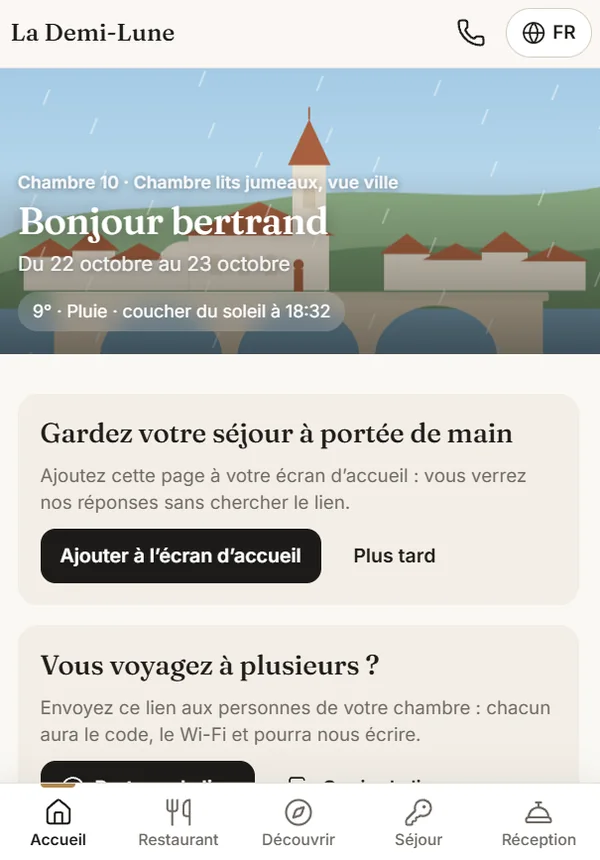
Before arrival, your guest receives a personal link in their own language. In it they find the way, where to park, the door code on the day, the Wi-Fi, the restaurant menu and a button to write to you. Meanwhile, your team sees the whole day on a single screen.
No app to install. No account to create. In French, German, English, Italian and Chinese.
“Where can we park?”
A hotel’s most expensive question is not asked in the room: it comes the evening before, by phone, in the middle of service.
“How do we get in at 10 pm?”
With no reception in the evening, every late arrival means a phone call — or worse, a guest stuck outside the door.
“Do you have Wi-Fi?”
The password spelled out at the desk, twice, in a language neither of you speaks well.
The problem Majordome solves.
A hotel with a handful of rooms has no reception staffed around the clock. The same questions come back before every arrival, and they always land at the wrong moment — during service, with your hands full.
Six frictions that cost you, every week
- The call the night before. How to get there, where to park, what time they can arrive. Three minutes on the phone, multiplied by every booking.
- The late arrival. Nobody at the desk after 9 pm, and a guest trying to work out how to get in.
- Language. A request misheard out loud becomes a pillow that never arrives, or an allergy that reaches the kitchen garbled.
- The restaurant the guest discovers too late. They have already booked somewhere else for tonight, because they never saw your menu.
- The request lost between two shifts. Told to someone who was clocking off, never written down anywhere.
- The problem you find out about in the review. Tuesday’s lukewarm shower, read on Google on Friday, when it is too late to do anything about it.
What Majordome puts in their way
- One page per stay, personal, opened from a link or a QR code, answering these questions before they are asked.
- In the guest’s language, automatically, because information that is misunderstood is useless.
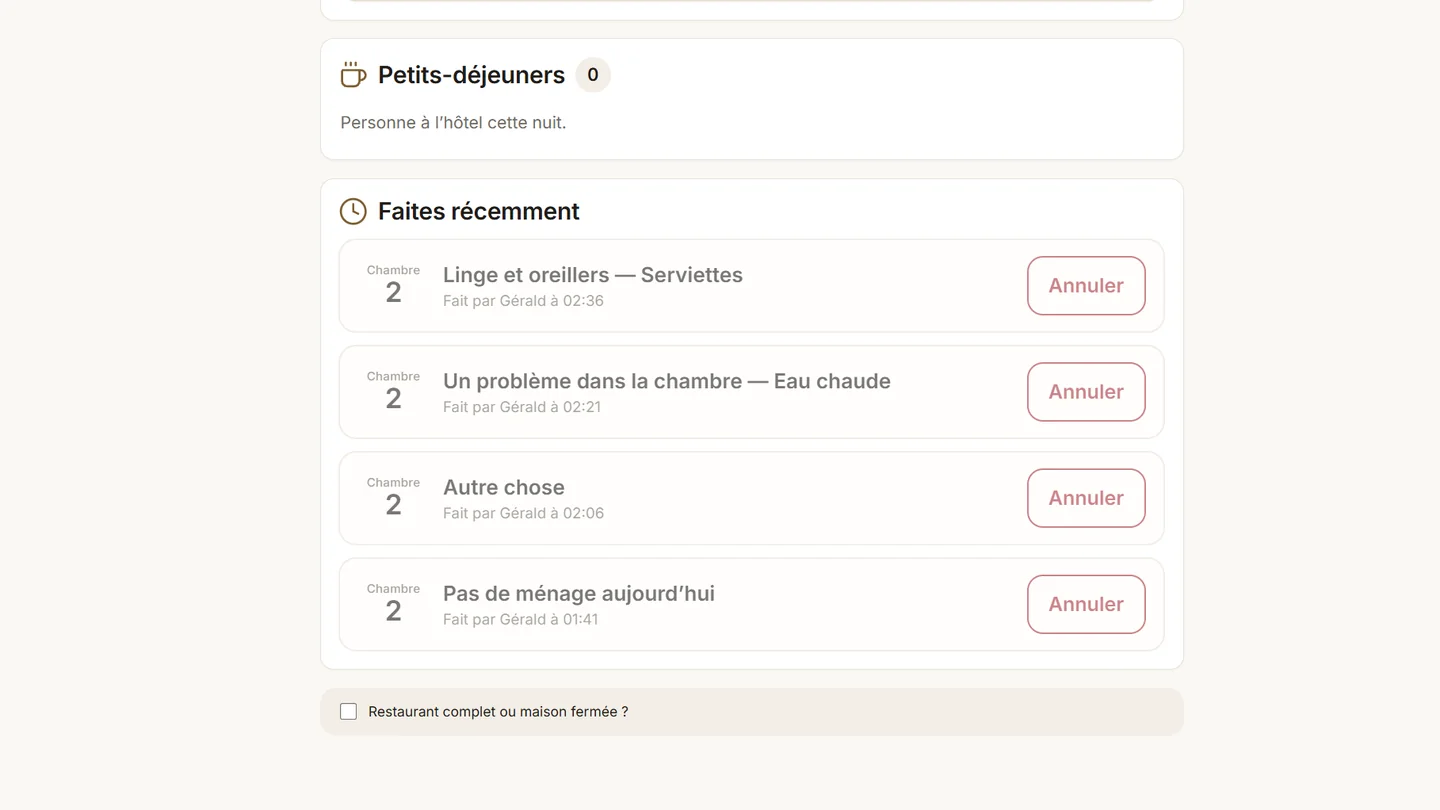
- Written, not spoken: every request lands on the team’s screen with its time and who sent it, and the guest sees when it is done.
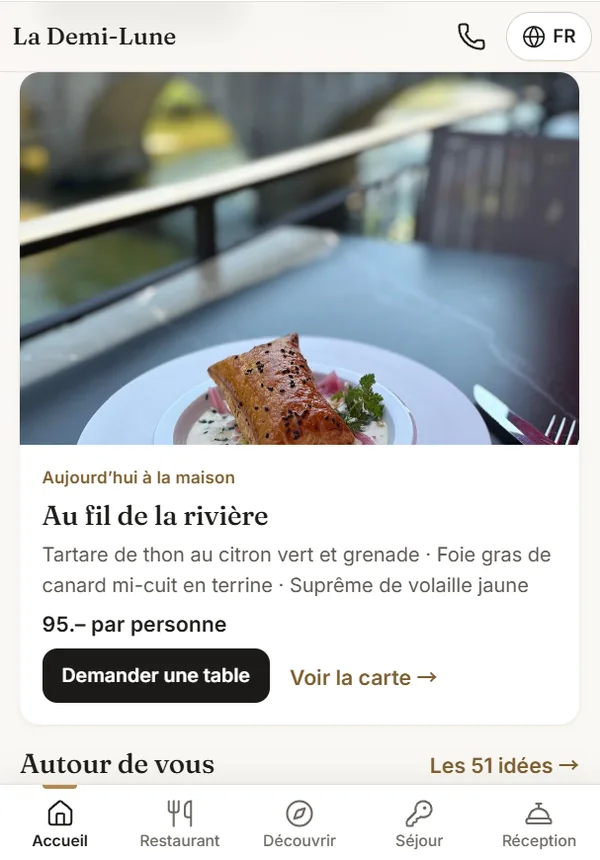
- Your restaurant at the centre, not at the bottom of a menu: today’s menu is visible from the home page.
- “Is everything all right?” during the stay, to fix on Tuesday what would become a review on Friday.
How it works, in practice.
Four steps. Only the second asks anything of you — and that takes a minute.
The booking comes in
From your booking system or entered by hand: name, room, dates, language. The stay is created with its personal link.
You send the link
The message is already written in the guest’s language, with the button and the QR code. You paste it into an email, WhatsApp or the booking platform’s messaging.
The guest prepares their arrival
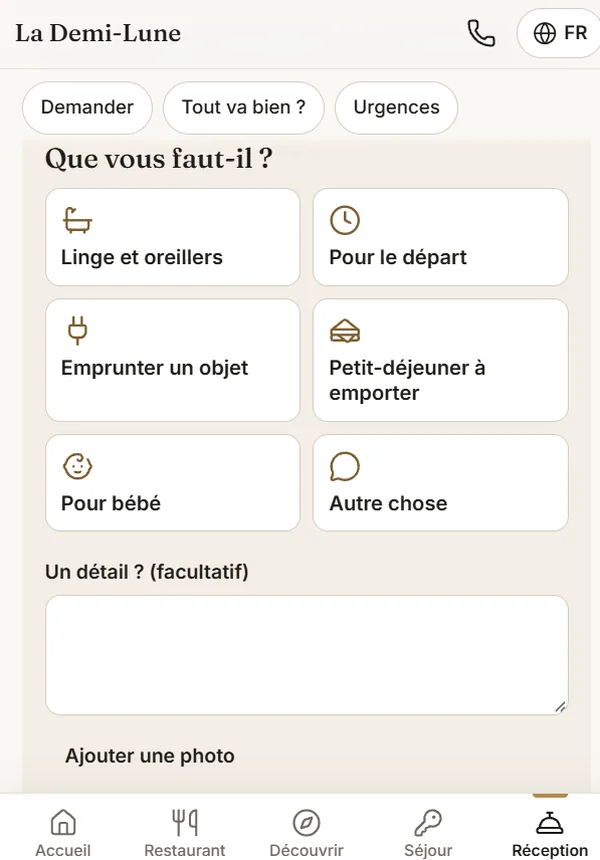
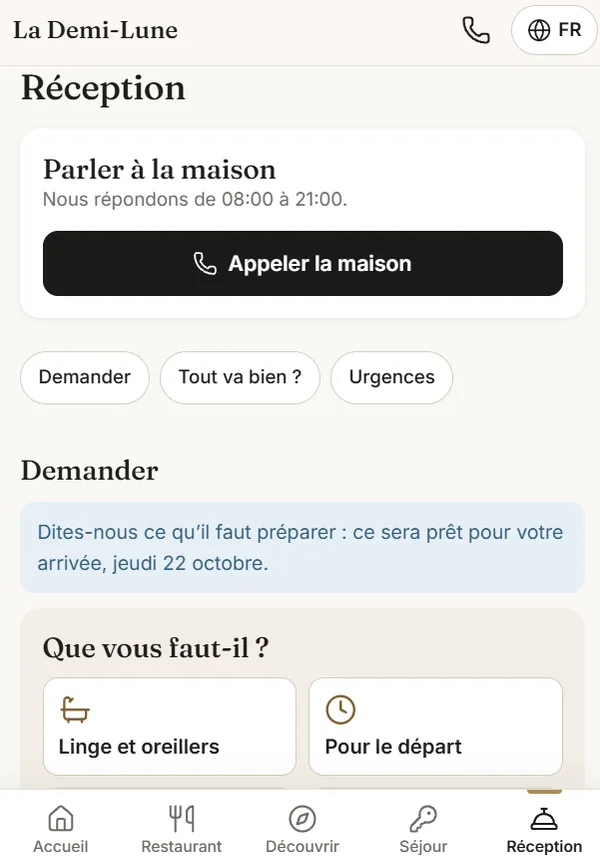
They give their arrival time, book their table, flag an allergy, ask for a cot. Without calling you, and without any language mix-up.
The team sees everything
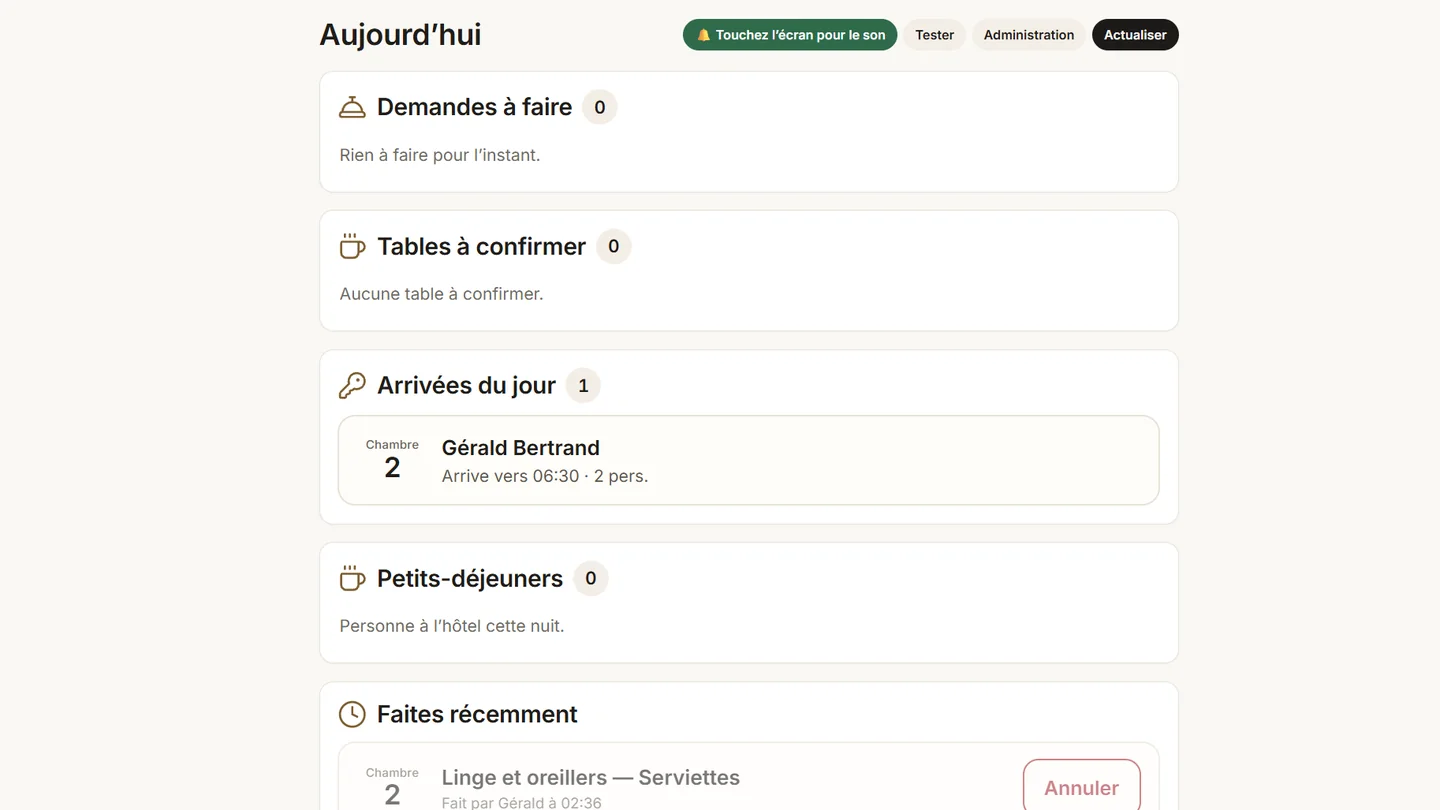
One screen at the front desk: requests to do, tables to confirm, today’s arrivals, breakfasts. A “Done” button.
What your guest sees.
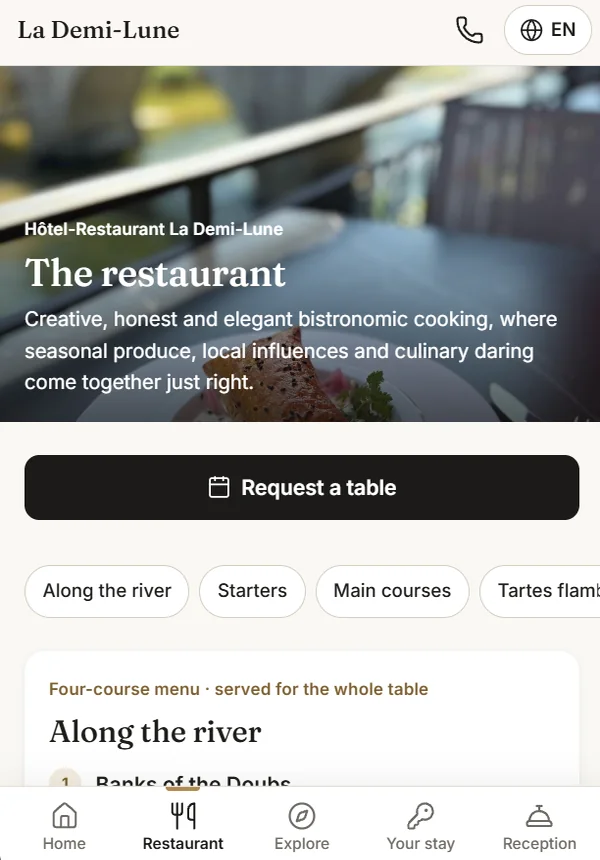
The page changes with the moment: before arrival, during the stay, at check-out. It only shows what your hotel has switched on.
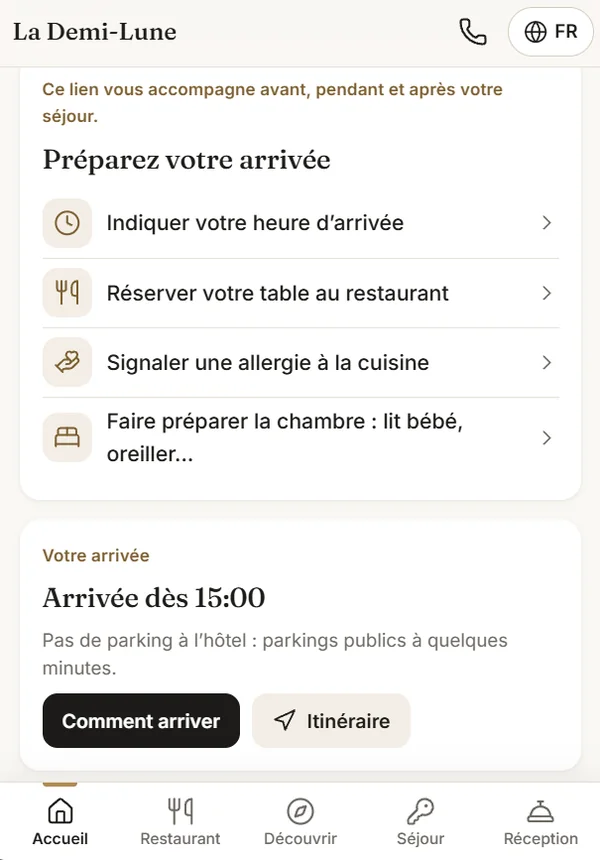
Before arrival: they prepare
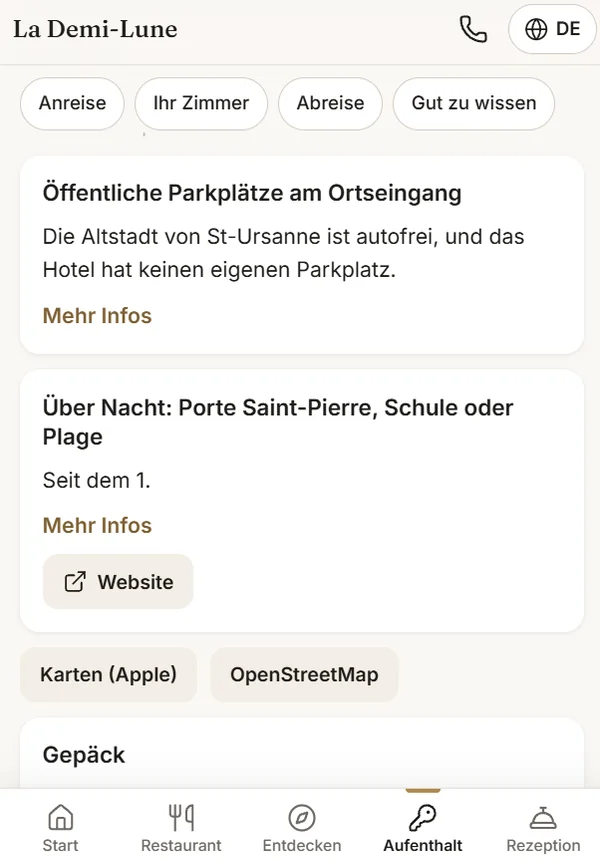
- Directions and parking, for your hotel’s actual situation: private car park, or public spaces and the walking time.
- Their arrival time, announced by the guest themselves — you know who to expect, and when.
- Their table at the restaurant, booked before they have even put their suitcase down.
- Their allergy passed to the kitchen, in writing, with no language misunderstanding.
- The room made ready: cot, extra pillow, requested in advance and in place when they arrive.
- A treat ordered for the moment they walk into the room: a chilled bottle, flowers.
Tables and picnics open up to seven days before arrival, for a date within the stay.
During the stay: they ask
- The restaurant at the centre: today’s menu with the fourteen allergens, the chef’s suggestion, the table request.
- Requests to the team in one tap: towels, a pillow, an adapter, no cleaning today, a problem in the room with a photo.
- Tracking: the guest sees “received”, then “done”. They do not ask twice, and do not wait at the desk.
- Handling hours on display: a request at 11 pm is accepted, and the guest knows it will be dealt with in the morning. Nobody waits for nothing.
- The picnic, ordered in advance, by the evening before at the latest, for a hike or a canoe trip.
And the question asked most: “what shall we do today?”
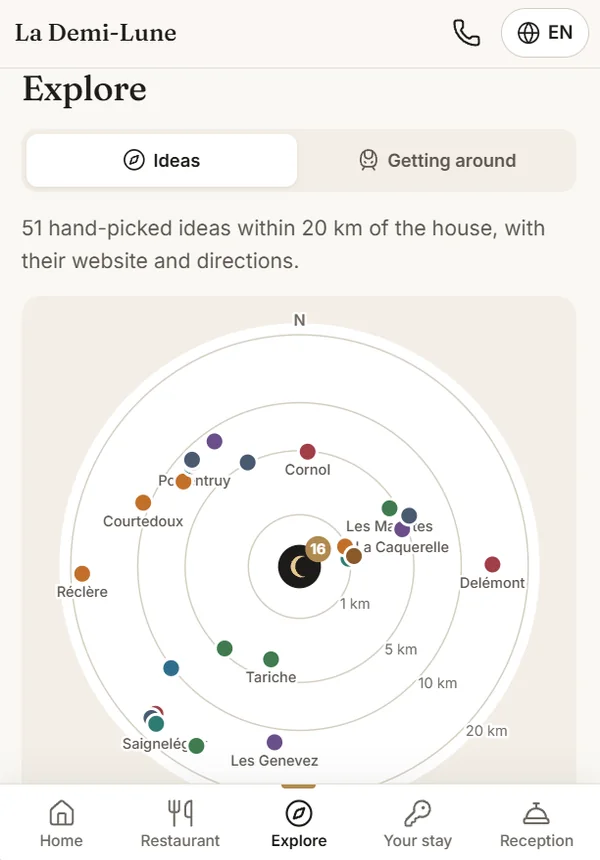
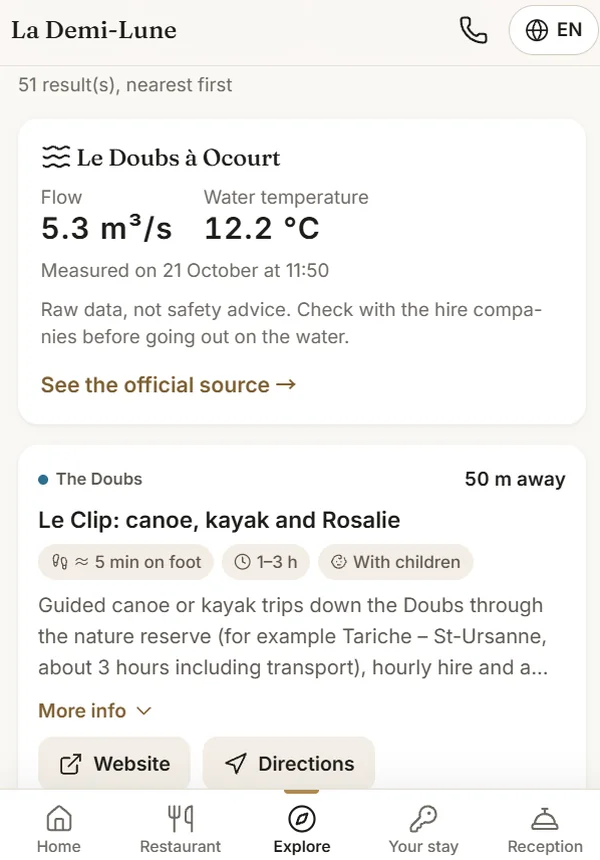
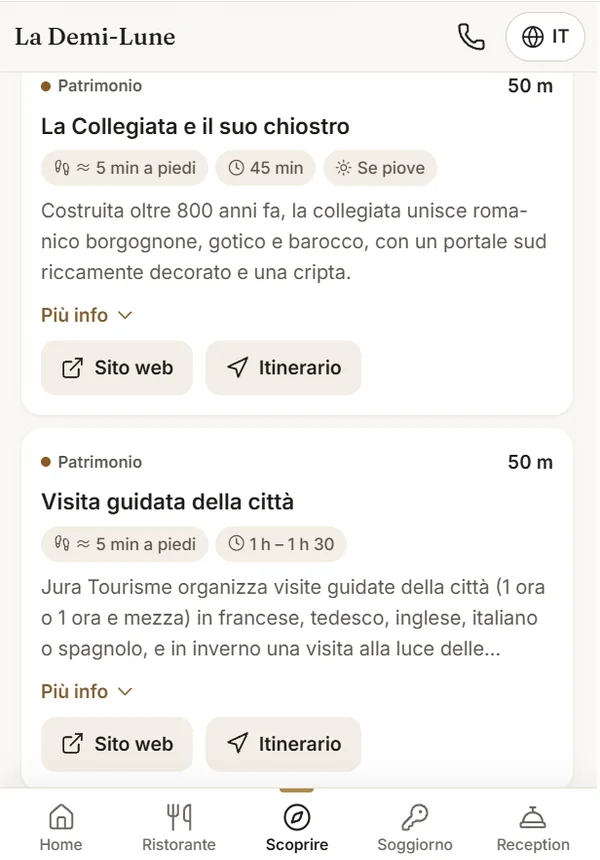
This is where an independent hotel stands out from a chain. Your addresses, your tips, and some live data that hardly any hotel website shows.
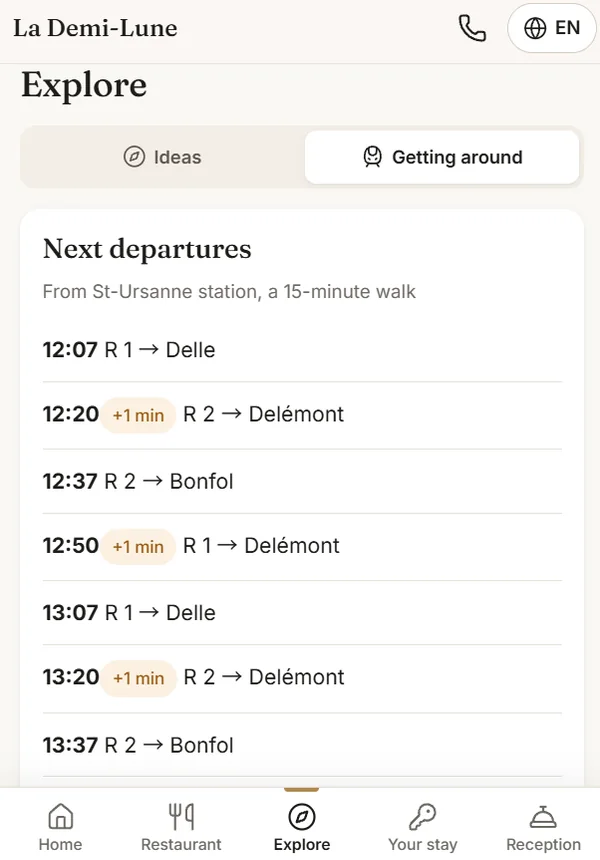
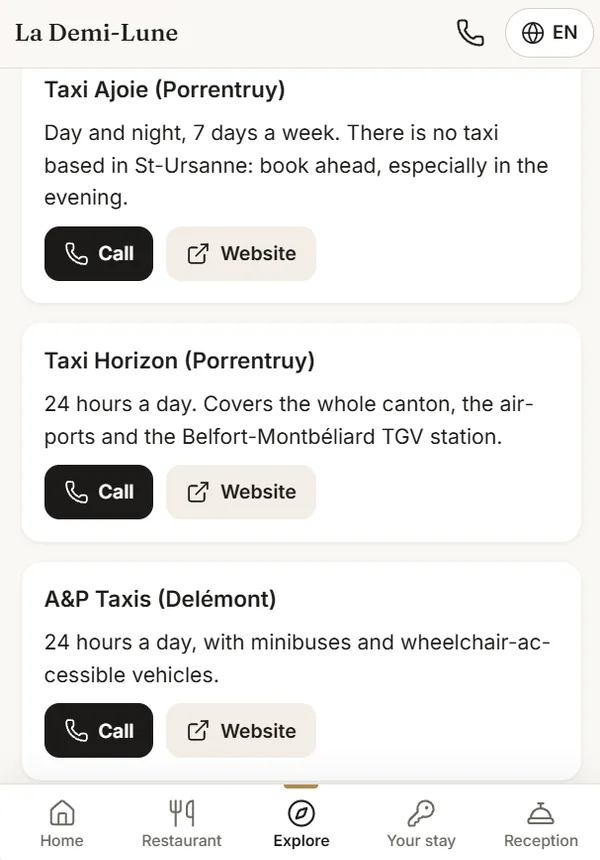
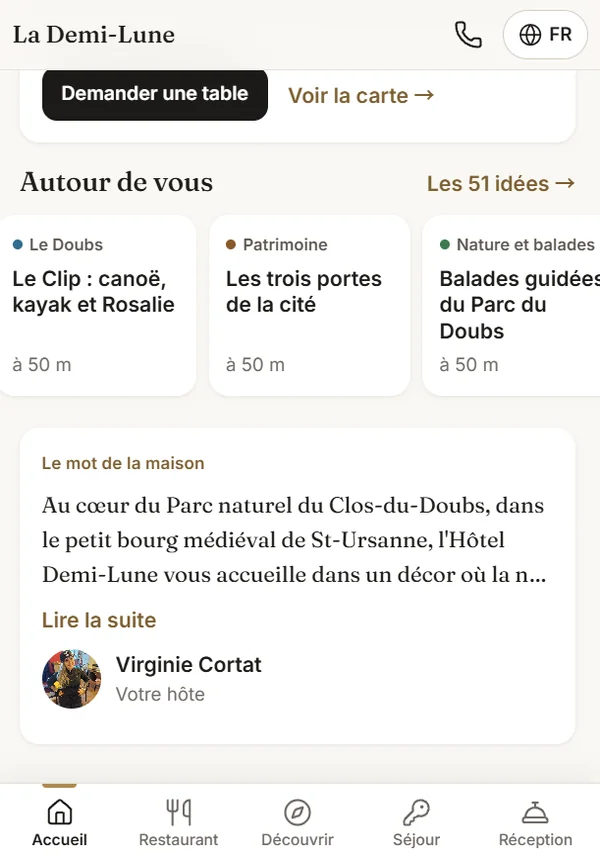
What a chain cannot write
Below the ideas for outings, Majordome hands you the floor: a few lines signed by the person who welcomes guests, with their photo. It is not decoration.
- Your addresses, not a ranking: the ideas are the ones you would give a guest at the desk yourself.
- Filtered by what is happening now: rain, children, no car, half a day.
- Distance first: from the doorstep out to twenty kilometres, nearest first.
- No shop opening hours copied in. They would be wrong within a month, and a guide with one wrong time loses trust for everything else. Instead: the official links, and a “closed on Sundays” warning.
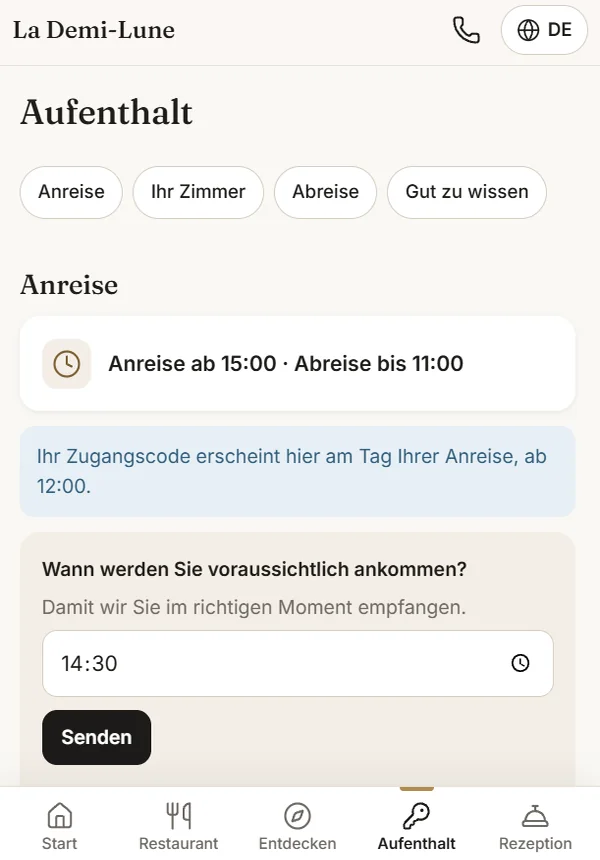
Five languages, no menu to hunt for.
The page opens in the phone’s language. The guest can switch in one tap, top right.
What happens when the language is unknown
- A reliable clue first: the guest’s country, their phone’s dialling code, their email domain.
- No clue, no guessing. The stay shows as “language to check” in your administration, and the link opens in the language of the guest’s phone.
- The welcome email then starts with one line in each language, so nobody gets stuck.
- A language is not switched on until everything the guest sees has been translated. Better one language fewer than a half-translated page.
The team’s screen.
Set up at the front desk or opened on a phone. Large type, nothing to look for, one button per action.
Built for a team that changes
- A written request beats a phone call that has to be interpreted, especially for a team in training or on a job-integration scheme.
- Alerts arrive on WhatsApp, always in your team’s language, whatever the guest’s, with the original text.
- No more alerts at night: tables, picnics, feedback and lost property go into the morning summary, and the guest is told so as they write.
- A table is never confirmed on its own. It stays a request until a person accepts it.
- The team only has access to its own view: never the administration, never the settings.
What management keeps in hand
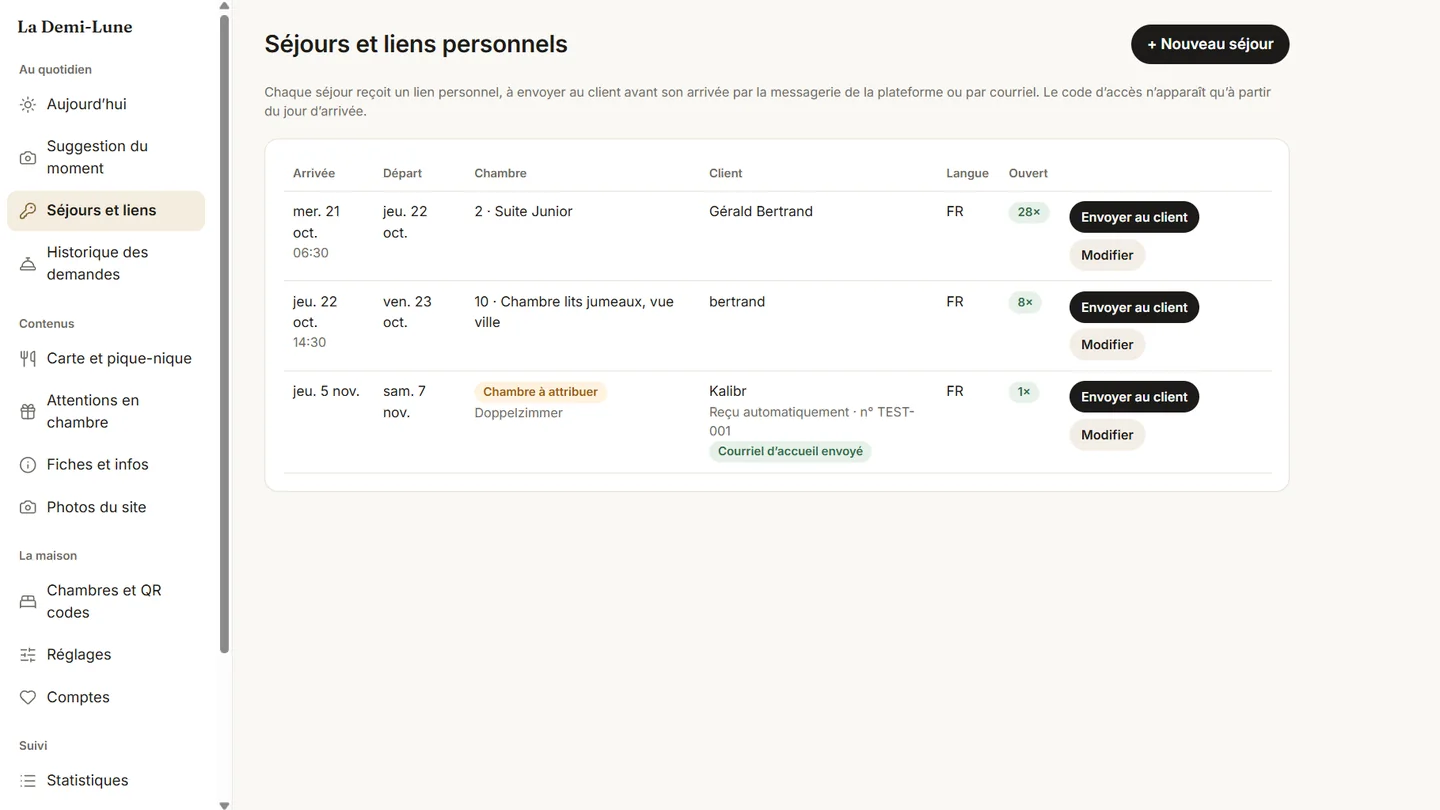
- Stays and their links, with the message ready to send in the guest’s language.
- Content in five languages, with a completeness check before publishing.
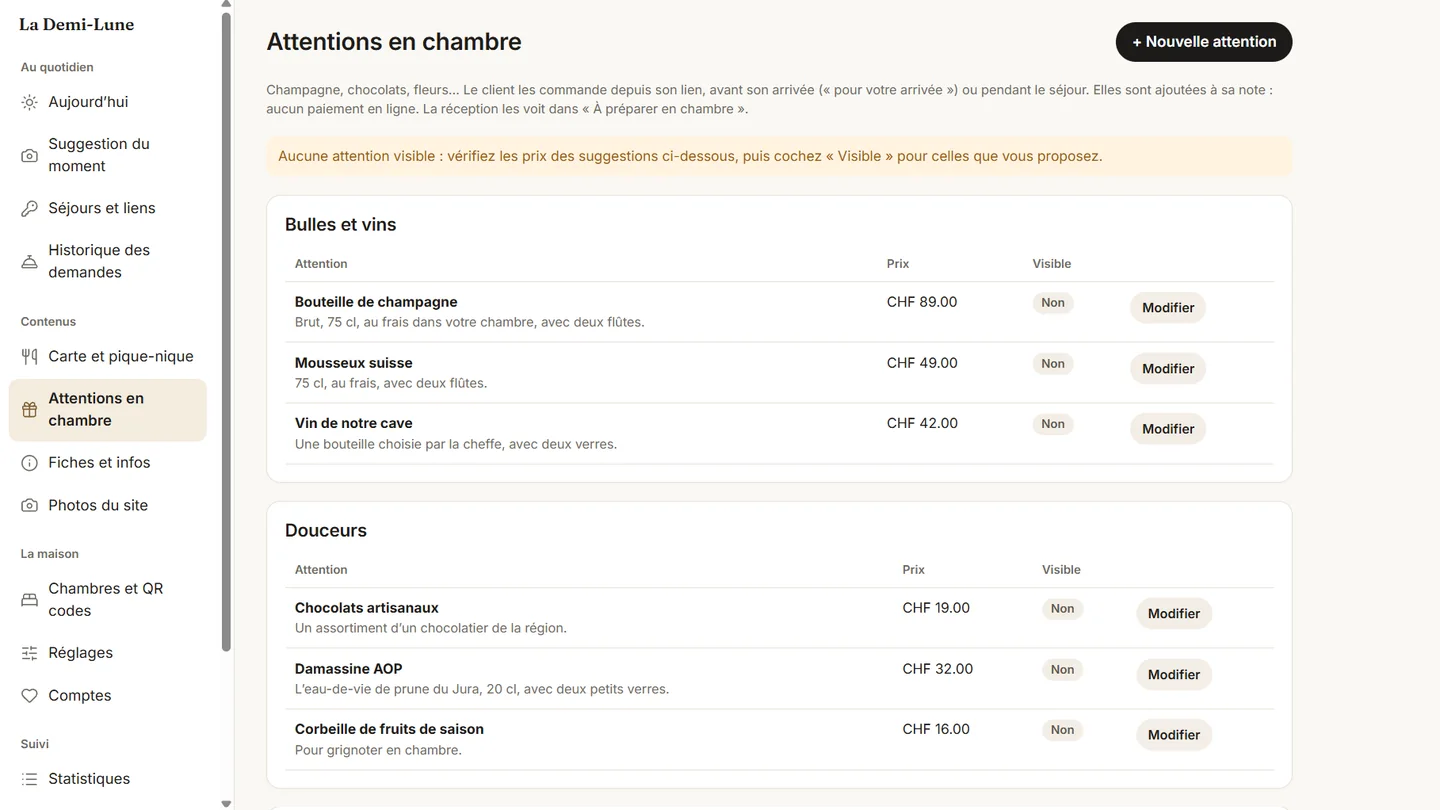
- The menu and allergens, the rooms, and the sheet of QR codes to print.
- Allergens have a single source, the dish’s record. Majordome never answers on its own about an allergen.
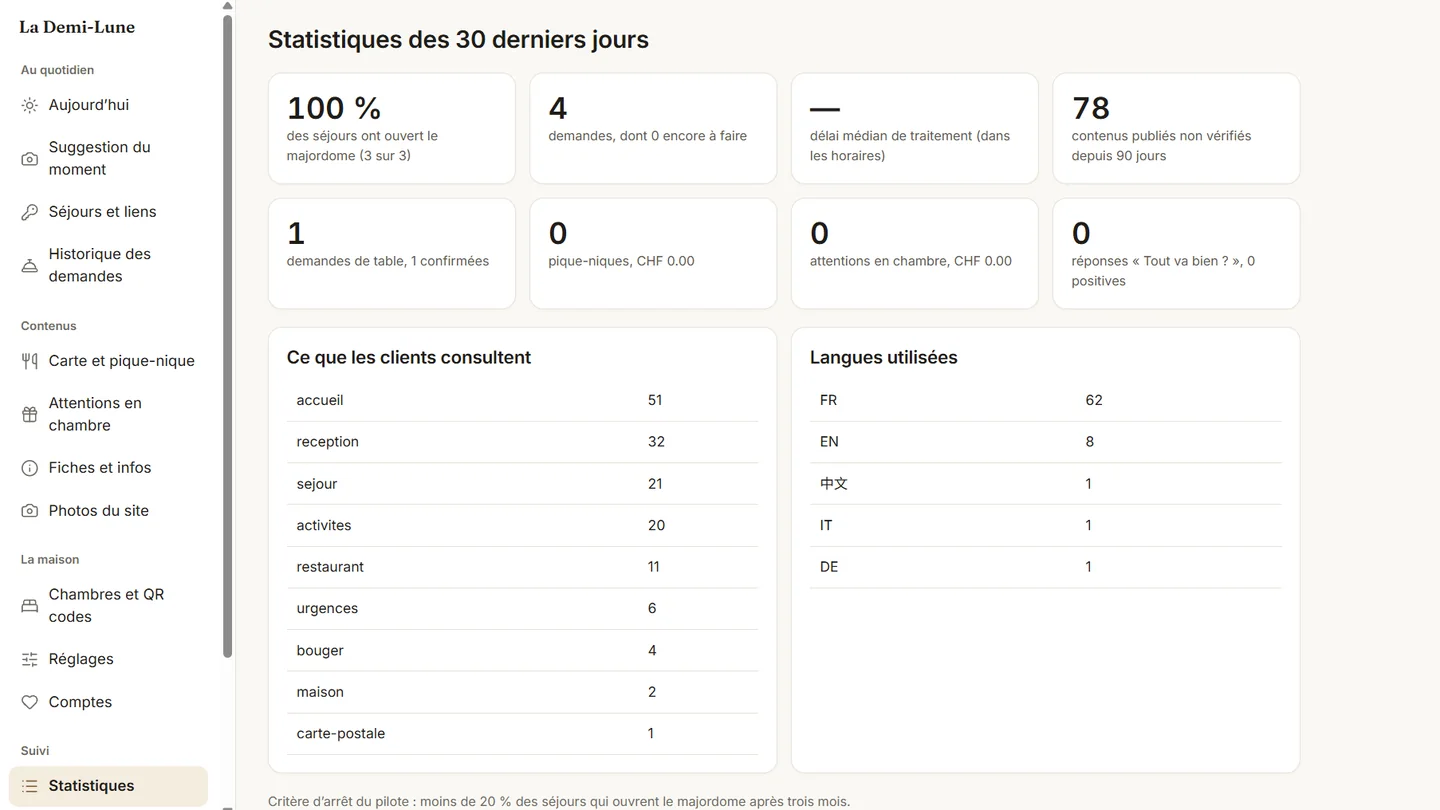
- Statistics: what guests look at, the languages used, the requests handled.
Your administration.
Everything runs from a browser: the stays, the content, what you offer and how it performs.
What protects your guests.
Majordome holds your door code, your guests’ names and their allergies. Here are the rules around that data, and why they are written this way.
Three doors, three levels
The personal link shows the name, room and code — only from arrival day to departure. The room QR code never shows a name, a code or request tracking, and only allows actions while a stay is in progress. The lobby QR code only gives information, with no Wi-Fi and no actions.
Erased, not archived
Allergies and access codes are deleted at check-out, not thirty days later. Names, messages and photos are purged after the stay. The alert log never contains a guest’s name.
Shared by the guest, not by you
The person who booked shares their link with the others in the room themselves, by WhatsApp or text message. One line reminds them that the link gives the door code, and that it is for their room only.
What it changes for the hotel.
Three effects, in the order they matter to a property with a handful of rooms.
Time given back to the team
The minutes no longer spent on the phone or at the desk, per stay:
| What the guest does on their own | Time saved |
|---|---|
| How to get there, where to park, arrival time | ≈ 5 min |
| Door code, Wi-Fi, opening times | ≈ 4 min |
| Booking a table, flagging an allergy | ≈ 3 min |
| Requests in their language, no misunderstanding | ≈ 3 min |
| Things to do, trains, taxis | ≈ 3 min |
| Check-out, invoice, lost property, review | ≈ 2 min |
| Per stay | ≈ 20 min |
The table, and the bill
- One more table at the restaurant is worth more, in a hotel with a handful of rooms, than all in-room sales put together. That is why the restaurant sits at the centre of Majordome, not at the bottom of a menu.
- In-room treats — a bottle, chocolates, a bouquet — are ordered for the arrival or during the stay and added to the bill, with no online payment.
- The picnic ordered for a hike is a sale nobody thinks to offer at the desk.
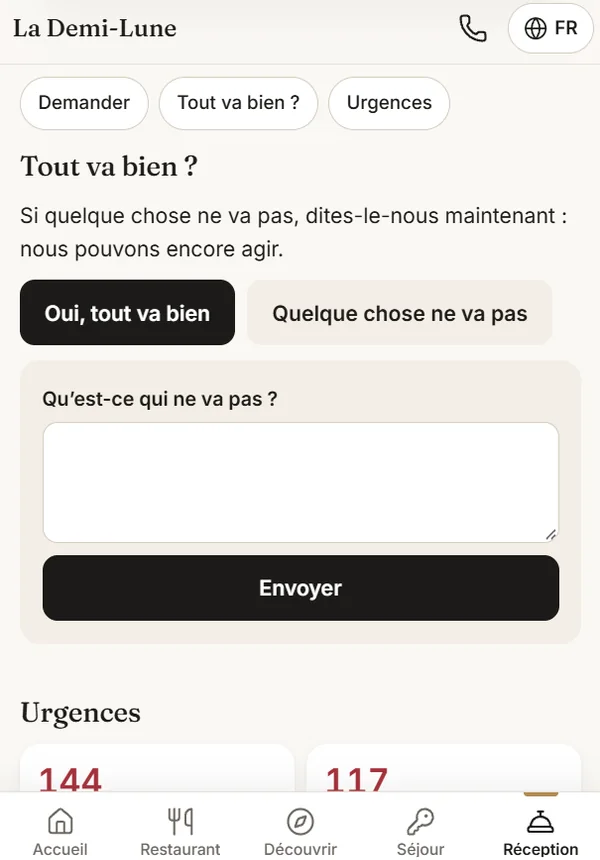
- “Is everything all right?” during the stay lets you fix what can still be fixed, before it becomes a public review.
Up to check-out, and a little beyond
- Check-out: time, invoice by email, luggage storage, lost property. The link stays open for up to thirty days after the stay, long enough to track down a scarf.
- “Is everything all right?” is asked during the stay, not afterwards. A problem reported on Tuesday is fixed on Tuesday.
- Reviews are offered to everyone, whatever answer they gave. Filtering guests before asking for a review is not allowed, and a rating obtained that way does not hold.
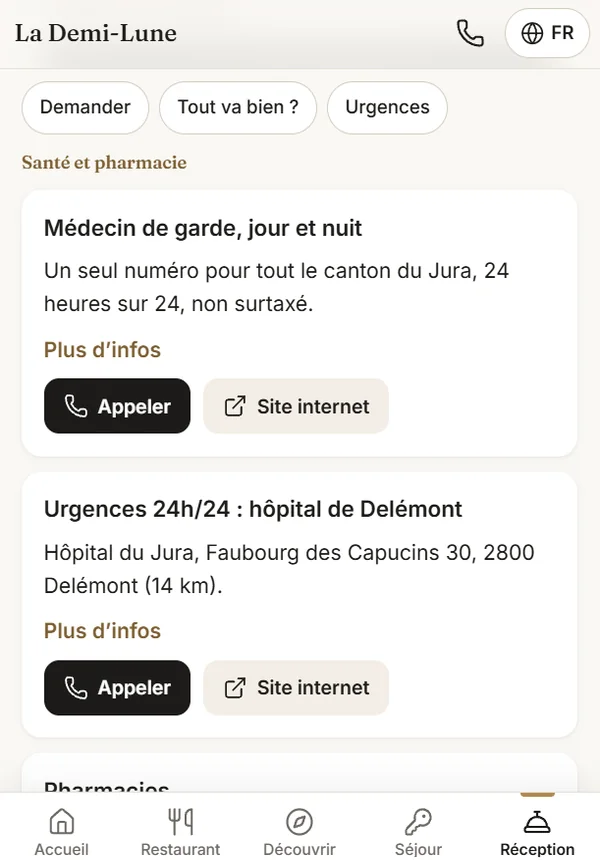
- Emergencies: Swiss numbers, the canton’s doctor on call, the nearest hospital, and the exact address to give the emergency services.
- The essentials work offline, and the text can be enlarged.
The questions we are asked.
Do my guests have to install an app?
No. It is a web page: the guest opens their link or scans a QR code, and that is all. No account, no download. If they wish, they can add the icon to their phone’s home screen to get back to their stay in one tap, but it is never required.
What can guests do before they arrive, and what only once they are here?
Before arriving, they announce their arrival time, book a table, tell the kitchen about an allergy, have the room prepared — cot, pillow — and order a treat for their arrival. Tables and picnics open up to seven days ahead, for a date within the stay.
In-room requests and photos only come in once the stay has begun, for a simple reason: before that, the room still belongs to another guest. Likewise, request tracking only shows on the personal link, never on the room’s QR code.
Which languages does Majordome speak?
French, German, English, Italian and Chinese. The page opens in the language of the guest’s phone, and they can switch at any time. A language cannot be switched on until everything the guest sees has been translated: better one language fewer than a half-translated page.
Are table bookings confirmed automatically?
No, never. A table request stays a request: it appears on the team’s screen and a person confirms it. No guest turns up in the evening with a table you have not accepted, and you stay in control of your dining room.
How much time does it take me each day?
If your bookings arrive in Majordome automatically, the only step left is assigning the room. Otherwise, creating a stay takes about a minute: name, room, dates, language. The welcome message is already written in the guest’s language; you just paste it into an email, WhatsApp or your booking platform’s messaging.
What does a guest see when they scan the room’s QR code?
Never another guest’s name, never the door code, and never anyone else’s requests. The room QR code only allows actions while a stay is in progress in that room. The name and the access code only appear on the personal link, and only from arrival day to departure. A room QR code can be renewed in one click if needed.
What happens to my guests’ data?
Allergies and access codes are erased at check-out. Names, messages and photos are purged after the stay, thirty days by default. The alert log never contains a guest’s name. No Google resources are used, so that guests roaming from China can use it normally.
Is there an assistant that answers questions for me?
Deliberately not. A mistake about opening hours or an allergen costs a hotel too much. Majordome only shows content you have reviewed and published, and never answers on its own about an allergen: the only source is the dish’s record. The question will be reconsidered later, based on real guest questions.
Does it work with my current website?
Yes: Majordome is independent of your website. It lives at its own address, for example stay.yourhotel.ch. If we also built your website, the two share the same content source and you only enter things once.
What if I change the address after printing the QR codes?
They have to be reprinted. That is why the final address is chosen before printing, not after — the kind of detail we would rather tell you at the start.
Where Majordome stands.
We prefer an honest page to a flattering one.
- The product is built and working. Guest interface in five languages, team view, full administration, and more than 140 automated checks on every change.
- It is being piloted at a first property: the Hôtel-Restaurant La Demi-Lune in Saint-Ursanne. It is the only one so far.
- An independent reviewer — an agent that had not written the code — audited it. No critical flaws, eight important and thirteen minor points, all fixed.
- We do not have field figures yet. Once the first review is done, it will replace our estimates on this page.
See Majordome for real.
A ten-minute demo on your phone, with a test stay in your name. You will see exactly what your guest would see.